
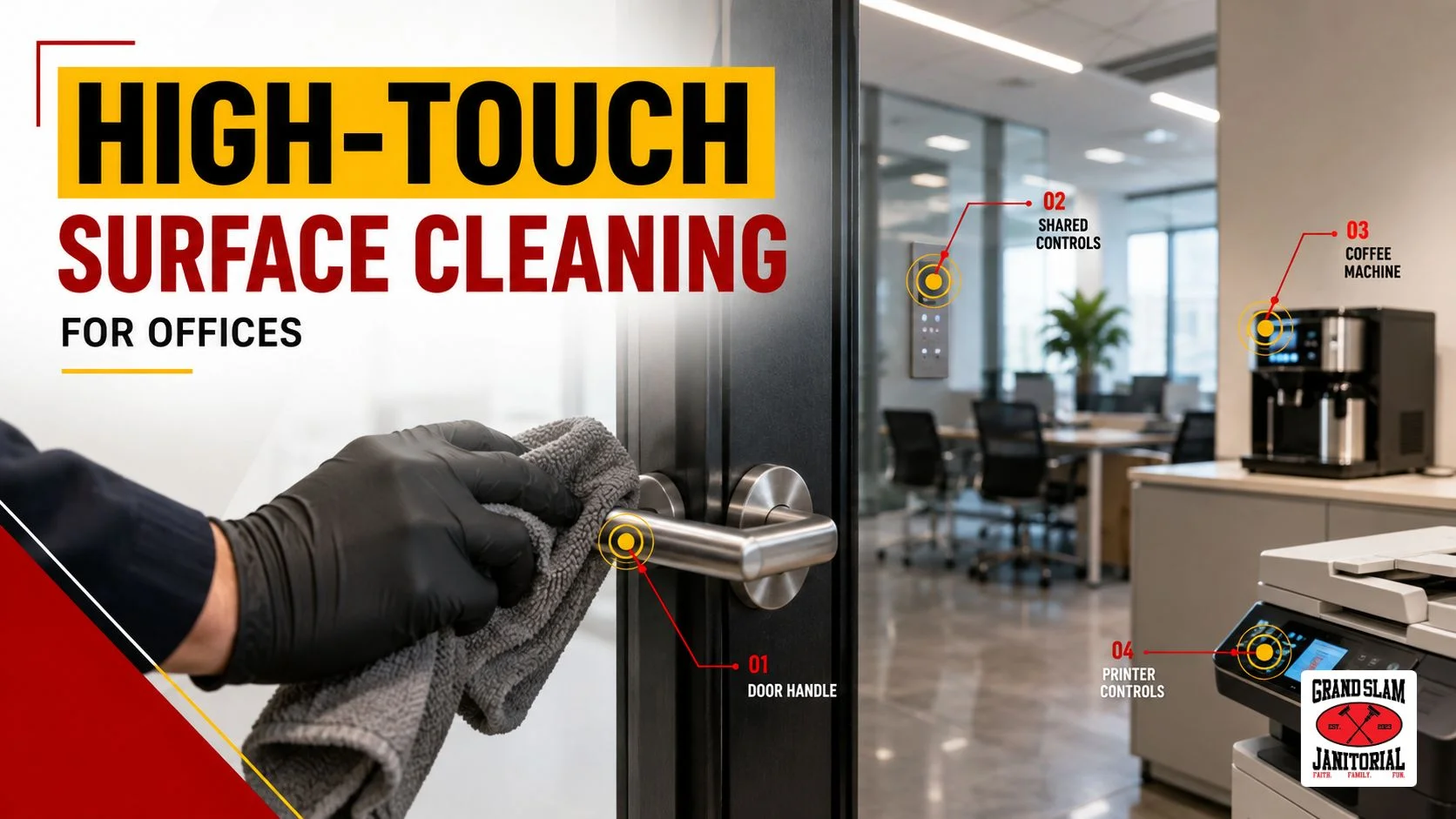
High-touch surface cleaning focuses on the office surfaces that employees, customers, tenants, and visitors handle repeatedly throughout the day. Door handles, elevator buttons, restroom fixtures, shared appliances, conference room controls, phones, printers, and similar touchpoints usually need more frequent attention than walls, shelving, or other low-contact areas.
That does not mean every surface needs constant disinfection. The CDC recommends regularly cleaning high-touch surfaces, cleaning other surfaces when visibly dirty, and adding disinfection when someone has obviously been ill or when conditions justify additional precautions. Surfaces should also be cleaned before they are sanitized or disinfected.
For office managers, the real goal is not to spray more chemicals. It is to identify the surfaces people actually touch, clean them at the right frequency, use disinfectants correctly when needed, and make those tasks part of a repeatable cleaning plan.
What Are High-Touch Surfaces in an Office?
A high-touch surface is an object or area that people handle frequently during normal workplace activity.
Think about the route an employee takes after arriving at work. They may open an exterior door, use a keycard reader, press an elevator button, turn on a light, pull out a chair, use a shared printer, open the refrigerator, touch the microwave controls, and use several restroom fixtures before lunch.
Each of those interactions creates another frequently contacted surface.
Common office touchpoints include:
Entrances and common areas
- Exterior and interior door handles
- Push plates
- Keycard readers
- Intercom controls
- Elevator buttons
- Stair rails
- Reception counters
- Shared pens or sign-in equipment
Workstations and meeting rooms
- Shared keyboards and mice
- Desk phones
- Conference phones
- Touchscreens
- Printer and copier controls
- Remote controls
- Chair arms
- Light switches
- Thermostats
Breakrooms
- Refrigerator handles
- Microwave buttons and handles
- Coffee machine controls
- Water dispensers
- Cabinet pulls
- Countertops
- Vending machine controls
Restrooms
- Door handles
- Stall latches
- Faucet handles
- Flush controls
- Soap dispensers
- Paper towel dispensers
- Hand dryer controls
- Light switches
CDC guidance similarly identifies frequently handled items such as door handles, elevator buttons, touchpads, restroom fixtures, counters, and desks as surfaces that should be cleaned regularly.
In short: A high-touch list should follow how people actually move through your facility rather than relying on a generic checklist.
Why Cleaning High-Touch Surfaces Requires More Than Wiping Desks
A workplace can look tidy while frequently handled surfaces receive very little attention.
Vacuumed carpet, empty trash cans, polished counters, and clean glass all matter, but they do not tell you whether elevator controls, breakroom handles, restroom dispensers, or shared equipment were cleaned.
That is why cleaning high-touch surfaces should be written into the cleaning scope instead of left to individual judgment.
A practical scope might identify:
- Which surfaces are included
- Which areas receive priority
- How often they are serviced
- Whether cleaning or disinfection is required
- Which products can be used on sensitive materials
- How work is documented
This turns workplace cleaning from a vague instruction such as “clean common areas” into something staff can follow consistently.
In short: If high-touch cleaning matters to your facility, name the surfaces. Do not assume they are automatically included.
Cleaning, Sanitizing, and Disinfecting Are Not the Same
One of the most common mistakes in workplace cleaning programs is using these terms as though they mean the same thing.
They describe different processes.
Process | What It Does | Typical Office Use |
Cleaning | Removes dirt, residue, and many germs from a surface | Routine maintenance of desks, counters, handles, fixtures, and shared spaces |
Sanitizing | Reduces remaining germs after cleaning | Used when appropriate for the surface and facility |
Disinfecting | Uses a disinfectant to kill remaining germs covered by the product’s label | Added when illness, traffic, facility requirements, or specific risks justify it |
CDC guidance states that cleaning reduces germs by removing them from surfaces, sanitizing reduces germs remaining after cleaning, and disinfecting kills harmful germs that remain after cleaning.
That distinction matters when businesses purchase office disinfection services.
Disinfectant should not become a substitute for ordinary cleaning. Dirt, oils, fingerprints, food residue, and other material may interfere with the disinfecting process, which is why the surface should generally be cleaned first.
In short: Cleaning comes first. Disinfection is an additional step when the situation calls for it.
How Do You Disinfect High-Touch Surfaces Correctly?
Proper workplace disinfection involves more than spraying a product and immediately wiping it away.
The exact instructions depend on the product and surface, but a sound process generally follows these steps.
1. Identify the surface
Know exactly what is being serviced and whether it can safely tolerate the selected cleaner or disinfectant.
2. Remove visible dirt first
Clean away soil, fingerprints, grease, crumbs, spills, and other residue.
CDC specifically advises cleaning surfaces before sanitizing or disinfecting because dirt and other impurities can make disinfecting chemicals less effective.
3. Use an appropriate disinfectant
When disinfection is needed, CDC recommends using an EPA-registered disinfecting product appropriate for the targeted organism and surface. Not every disinfectant works against every germ or on every material.
4. Follow the required contact time
A disinfectant needs enough time on the surface to work as directed.
The product label specifies its contact or wet time. The surface generally needs to remain wet for that entire period rather than being sprayed and immediately wiped dry.
5. Follow surface-specific instructions
Food-contact areas, electronics, finished wood, stone, upholstery, and other sensitive materials may require different products or procedures.
6. Avoid unsafe chemical combinations
Cleaning products and disinfectants should never be mixed unless their directions specifically allow it. CDC warns that combining chemicals can be hazardous.
Expert takeaway: Product choice matters, but correct use matters just as much. A strong office sanitization procedure should follow the product label rather than relying on a quick spray-and-wipe routine.
How Often Should High-Touch Surfaces Be Cleaned?
There is no useful one-size-fits-all schedule for every office.
CDC recommends regularly cleaning high-touch surfaces and considering both how frequently the surface is touched and whether the space experiences heavy traffic. High-traffic areas may justify more frequent cleaning or additional disinfection.
A better schedule is based on use.
Area | Example Touchpoints | Practical Frequency Approach |
Main entrance | Handles, access controls, reception surfaces | Higher priority because many people use them |
Restrooms | Faucets, dispensers, stall latches | Frequent attention based on occupancy and traffic |
Breakroom | Appliance handles, counters, buttons | Adjust around meal periods and staff use |
Shared equipment | Printers, phones, touchscreens | Increase frequency when many employees share them |
Private workspace | Individual desk and equipment | Usually based on occupancy and responsibility |
Low-touch areas | Walls, high shelving, decorative surfaces | Routine or condition-based cleaning |
A 10-person professional office will not necessarily need the same schedule as a busy multi-tenant building where hundreds of people use the lobby, elevators, restrooms, and shared spaces.
Recurring office cleaning should therefore be based on occupancy, traffic patterns, facility type, operating hours, employee sharing, and documented trouble spots.
In short: Clean according to actual use. The busiest shared touchpoints usually deserve more attention than low-contact surfaces.
Which Areas Are Commonly Missed During Office Cleaning Services?
Door handles are obvious. The overlooked surfaces are usually less noticeable.
During a facility walkthrough, pay close attention to things people touch automatically:
- Copier touchscreens
- Printer buttons
- Refrigerator handles
- Coffee machine controls
- Water dispenser levers
- Vending machine keypads
- Conference room remotes
- Thermostats
- Stair rails
- Interior door push plates
- Keycard readers
- Shared phones
- Cabinet handles
- Soap dispensers
- Paper towel dispensers
Another common gap is cleaning only one side of a surface. For example, both sides of a frequently used door handle or push area may need attention.
A professional commercial facility cleaning plan should look beyond what is visibly dirty and account for how employees and visitors actually use the building.
Electronics Need Their Own Cleaning Approach
Shared electronics are high-touch surfaces, but treating them like a countertop can damage them.
CDC recommends following the device manufacturer’s instructions and notes that wipeable covers can make cleaning and disinfection easier for electronics such as keyboards, touchscreens, tablets, and remote controls.
The right approach depends on the equipment.
Your cleaning scope should clearly address responsibility for items such as:
- Shared keyboards
- Computer mice
- Office phones
- Touchscreen displays
- Conference room equipment
- Copier control panels
- Tablets
- Point-of-sale equipment
If a manufacturer restricts certain liquids or chemicals, those instructions take priority.
In short: Electronics belong on the high-touch checklist, but they should not automatically receive the same product or application method as a restroom fixture.
When Does an Office Actually Need Disinfection?
Routine high-touch surface cleaning should be part of normal facility maintenance. Routine disinfection, however, should be based on the circumstances.
According to CDC guidance, regular cleaning is sufficient in many situations. Disinfection should be added in areas where someone has obviously been ill, and businesses may choose additional disinfection for high-traffic areas or when local health authorities recommend it during certain outbreaks.
That means disinfecting office surfaces may be particularly relevant when:
- Someone has been visibly ill in the facility
- A high-traffic shared area requires additional precautions
- Your facility has documented hygiene procedures requiring it
- A product-specific disinfection step is part of your approved cleaning plan
- Health authorities issue relevant guidance
Certain facilities also operate under additional requirements.
CDC’s general facility guidance is designed for community settings such as offices and businesses. It is not intended to replace specialized requirements for healthcare settings or other regulated environments.
In short: Disinfection should solve a specific hygiene need, not simply be added because it sounds stronger than cleaning.
What Should Office Disinfection Services Include?
If you are evaluating a cleaning contractor, asking “Do you disinfect?” is too vague.
Ask how the work is actually performed.
A useful discussion should cover:
- Which high-touch surfaces are included?
- Are surfaces cleaned before disinfectant is applied?
- What disinfectant is being used?
- Is the product appropriate for the intended surface?
- How is the required contact time followed?
- How are electronics handled?
- How does the team prevent cross-contamination between areas?
- Which tasks are completed on every visit?
- Which tasks are scheduled weekly, periodically, or only when requested?
- How can the cleaning plan be adjusted when facility use changes?
The answers should eventually appear in your service scope.
This is particularly important for businesses purchasing janitorial services, because high-touch work can easily become inconsistent when the agreement only says “clean offices, restrooms, and common areas.”
Build High-Touch Cleaning Into Your Regular Janitorial Plan
The strongest approach is usually not a separate emergency-style disinfection service every time the office needs attention.
Instead, integrate appropriate high-touch surface sanitization, routine cleaning, and targeted disinfection into your normal commercial cleaning services.
Start with a facility walkthrough.
Identify:
- Employee entrances
- Public entrances
- Reception areas
- Shared workspaces
- Conference rooms
- Breakrooms
- Restrooms
- Elevators and stairways
- Shared equipment
- High-traffic customer areas
Then assign cleaning frequency based on use.
For businesses using office cleaning Las Vegas, commercial cleaning Las Vegas, office cleaning Flagstaff, or janitorial services Flagstaff, the scope should still be built around the individual property rather than copied from another office.
Grand Slam Janitorial’s service information emphasizes customized cleaning plans, flexible service frequency, recurring and specialty cleaning, trained and vetted personnel, free on-site walkthroughs, and proposals based on facility needs.
That type of walkthrough is the right time to identify high-touch areas that are easy to miss.
FAQ About High-Touch Office Cleaning
High-touch surfaces are objects or areas handled frequently by employees, customers, tenants, or visitors. Common examples include door handles, elevator buttons, light switches, restroom fixtures, appliance handles, phones, printers, and shared equipment.
Frequency should reflect how often a surface is touched, the number of people using the area, and the facility's operating conditions. Busy shared spaces generally require more attention than low-traffic or individually assigned areas.
Continually adding finish without proper preparation, however, can eventually create buildup.
Routine cleaning is appropriate for many normal workplace situations. Disinfection can be added when someone has been obviously ill, when high-traffic conditions justify it, or when applicable guidance or facility procedures call for additional measures.
When disinfection is warranted, focus on frequently handled shared surfaces such as handles, buttons, restroom fixtures, common-area controls, shared equipment, and similar touchpoints. Always confirm that the disinfectant is appropriate for the specific surface.
It cannot repair a finish that has already failed or remove heavy layers of contaminated buildup.
Clean visible dirt and residue first, apply an appropriate disinfectant according to its label, keep the surface wet for the required contact time, and follow any instructions for wiping, rinsing, ventilation, PPE, or sensitive materials.
No. Product labels specify compatible surfaces and directions. Electronics, food-contact surfaces, finished materials, and other sensitive items may require different procedures or products.
It should clearly define the surfaces being serviced, products and procedures used, cleaning frequency, contact-time requirements, handling of sensitive equipment, and how high-touch tasks fit into the overall janitorial scope.
A Better High-Touch Cleaning Plan Starts With the Facility
Effective high-touch surface cleaning is not about treating every object in an office the same way. It means knowing where repeated contact occurs, cleaning those surfaces consistently, adding disinfection when conditions call for it, and following product instructions instead of rushing the process.
For businesses in Las Vegas, Nevada, and Flagstaff, Arizona, Grand Slam Janitorial offers recurring office cleaning services, commercial cleaning services, disinfection, deep cleaning, restroom cleaning, breakroom cleaning, and customized facility cleaning programs based on individual property needs.
If your current cleaning scope simply says “wipe down common areas,” it may be time to make it more specific.
Contact Grand Slam Janitorial to schedule a free on-site walkthrough, discuss your facility’s high-touch areas, and request a customized cleaning quote.
